Webhooks
At a glance
Webhooks allow an external system to send events to Ontologie in real time. Unlike REST sources where Ontologie periodically polls an API, webhooks operate in push mode: the external system notifies Ontologie whenever a new event occurs.
Before you start
- A webhook-type connector created (see Add a connector)
- An external system capable of sending HTTP POST requests
- A shared secret for HMAC validation
How it works
The webhook reception flow takes place in 4 steps:
- Your external system sends an HTTP POST request to the Ontologie reception URL.
- Ontologie validates the HMAC-SHA256 signature included in the request headers.
- If the signature is valid, the data is ingested into your workspace.
- The data is available and can be linked to your ontology entities.
Steps
1. Create a webhook connector
From Live Data, create a Webhook type connector (see Add a connector).
2. Note the reception URL
After creation, Ontologie generates a unique reception URL. This is the address to configure in your external system for sending events.
3. Configure the validation secret
Enter a secret shared between Ontologie and your external system. Ontologie uses this secret to verify that events actually come from your system.
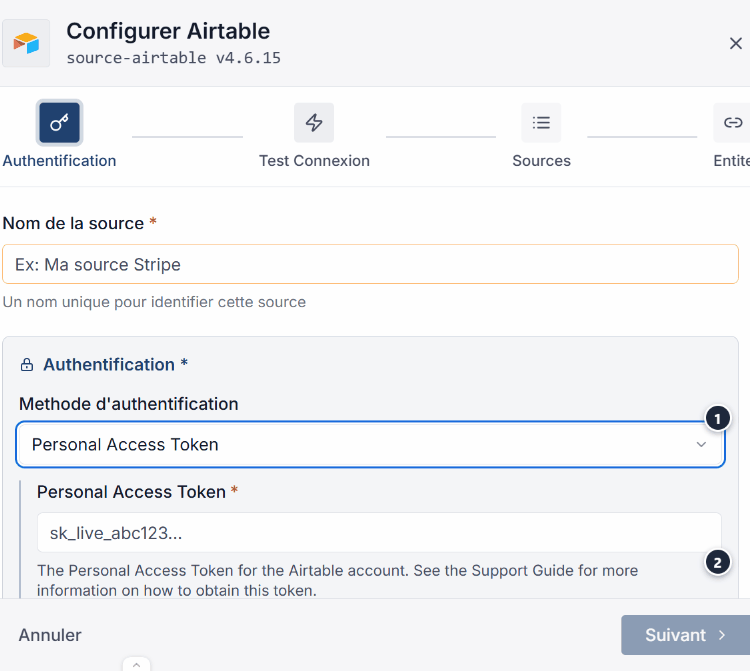
4. Configure your external system
In your external system (Stripe, GitHub, etc.), configure webhook delivery to the URL provided by Ontologie. Enter the same secret so that the signature is correctly generated.
5. Test reception
Trigger an event from your external system and verify its reception in Ontologie. The connector displays received events with their status.
Event format
Ontologie expects requests in JSON format with a signature header:
POST /api/webhooks/{endpointId}
Content-Type: application/json
X-Webhook-Signature: sha256=...
The request body must be a valid JSON object. Ontologie processes the payload and associates it with the connector identified by endpointId.
Security
Webhook security relies on cryptographic validation of each request:
- HMAC-SHA256 validation: each incoming request is verified using the shared secret.
- Automatic rejection: requests without a valid signature are rejected with an error code.
- Replay protection: requests are timestamped to prevent replays.
Never share the webhook secret in source code, logs, or shared documents. Use environment variables to store it on the external system side.
Expected outcome
Events from your external system arrive in real time in Ontologie. You can view them in the connector details and link them to your ontology entities.
Limits
| Limit | Value |
|---|---|
| Payload size | 1 MB maximum |
| Processing timeout | 30 seconds |
| Concurrent requests | Rate limited per workspace |
Need help?
See the Monitoring page to track your syncs, the Troubleshooting page to resolve reception errors, the Connector catalogue page for initial setup, or write to us: Support and contact.