Data Sources
At a glance
The Data Sources tab gathers all your configured sources (connectors, webhooks, HTTP) in a unified view. Filter, inspect, and manage your sources from a single place.
Before you start
- At least one connector configured (see Connector catalogue)
Sources overview
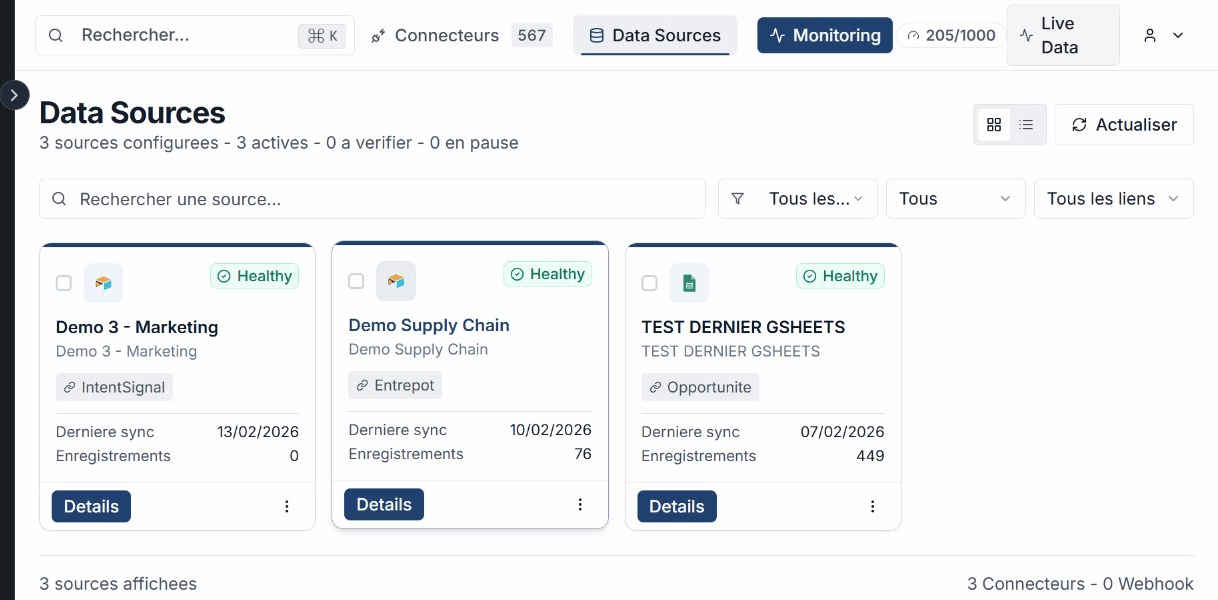
From Live Data, click the Data Sources tab. The table displays all your sources with the following information:
- Name of the source
- Type (connector, webhook, HTTP)
- Status (active, inactive, error)
- Linked entity in the ontology
- Last sync (date and time)
Filter sources
Use the filters to narrow down the list of displayed sources.
| Filter | Options |
|---|---|
| Type | Connector, Webhook, HTTP |
| Status | Active, Inactive, Error |
| Link | Linked to an entity, Not linked |

View source details
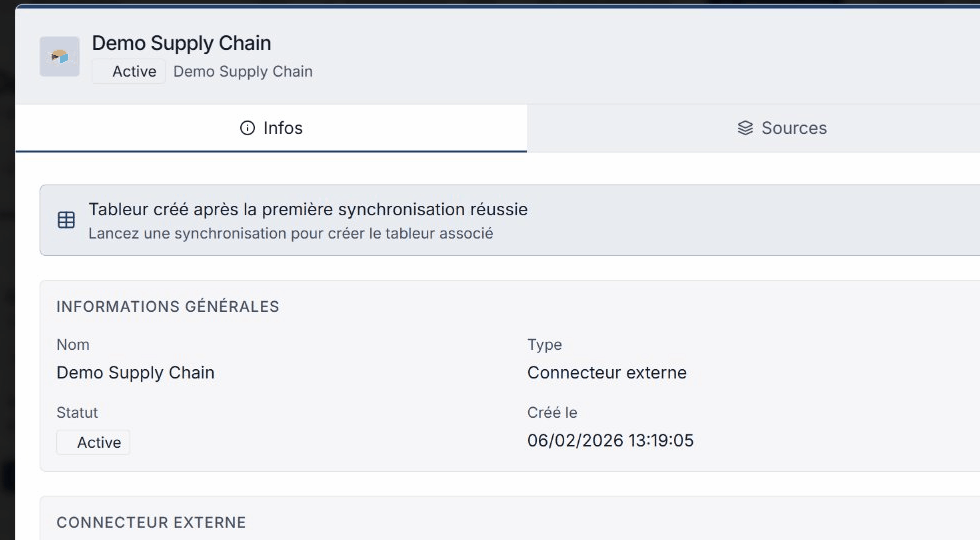
Click a source to open the details modal. The modal displays:
- The source configuration information
- The list of synced streams
- The history of recent syncs with their status
Bulk actions
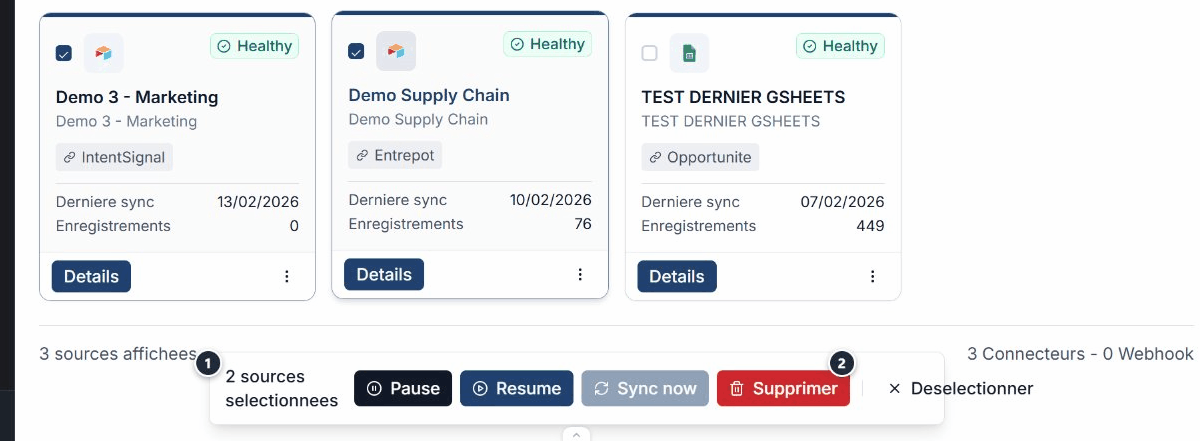
Select multiple sources using the checkboxes to access the bulk action bar. Available actions are:
- Pause -- Suspends synchronization of the selected sources.
- Resume -- Restarts synchronization of paused sources.
- Delete -- Permanently deletes the selected sources.
Warning
Deleting a source is permanent. Data that has already been synced remains available in spreadsheets.
Deleting a source is permanent. Data that has already been synced remains available in spreadsheets.
Expected outcome
Sources under control
You have a complete view of all your sources. Quickly identify sources in error and act in bulk.
You have a complete view of all your sources. Quickly identify sources in error and act in bulk.
See also
- Connector catalogue -- Browse and configure your connectors.
- Entity linking -- Connect your sources to the ontology.
- Monitoring -- Track the health of your syncs.
- Troubleshooting -- Identify and fix errors.
Need help?
Write to us: Support and contact.