Knowledge Base
At a glance
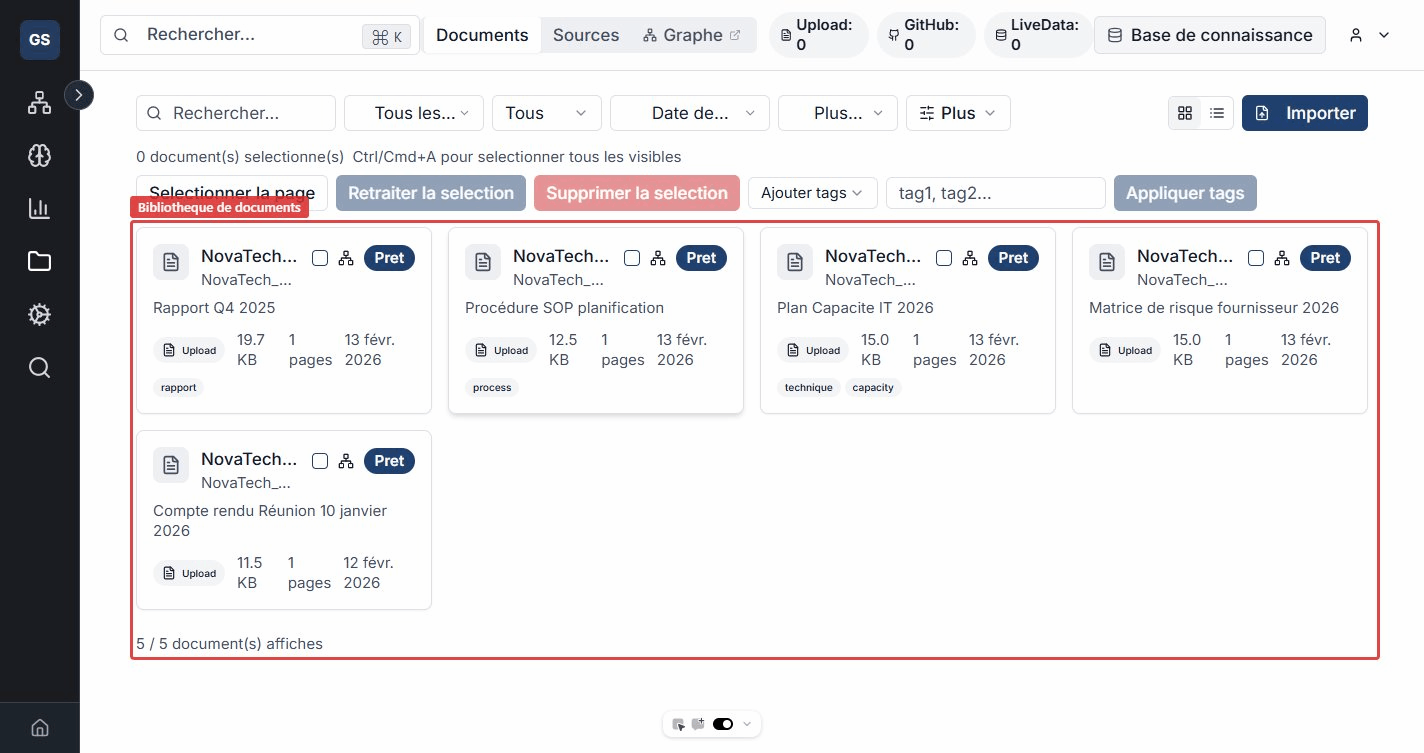
The Knowledge Base centralizes all your documents and files in a single space. Import your content, connect external sources, and find information in seconds thanks to intelligent search and the relationship graph.
What you'll do
- Import documents manually (PDF, DOCX, Markdown, TXT, HTML) or from external sources
- Connect sources such as GitHub, Confluence, a website, an S3 bucket, or your LiveData connectors
- Search intelligently using natural language and find relevant passages across all your documents
- Visualize the links between your documents in an interactive graph that reveals hidden connections
- Automatically link detected entities (suppliers, products, locations, etc.) to your business model
How it works
Every imported document goes through an automatic five-step process:
- Extraction -- raw text is extracted from the file (PDF, Word, etc.).
- Chunking -- the text is split into short segments so search results are precise rather than returning an entire document.
- Indexing -- each segment is analyzed to understand its meaning, enabling query-based search instead of exact keyword matching.
- Entity detection -- names of people, organizations, locations, products, etc. are identified and linked to your ontology.
- Graph construction -- links between documents are computed (shared entities, common tags, content similarity).
This processing runs in the background. You can keep working while your documents are being analyzed.
Concrete example: you import a supplier contract as a PDF. The system extracts the text, detects the supplier name "Dupont & Fils" and the product "Stainless steel", then connects this contract to other documents mentioning the same entities in the graph.
Recommended paths
Add your files manually or in bulk, with metadata and tags.
Sources and synchronizationConnect GitHub, Confluence, S3, LiveData and synchronize automatically.
Relationship graphVisually explore the links between your documents and entities.
Links with other modules
- LiveData: create file connectors (Google Drive, OneDrive, SharePoint, Dropbox) to automatically index your documents in the Knowledge Base.
- Ontology: entities detected in your documents are linked to your business model entities, enriching both modules.
- Workflows: use semantic search blocks to query your document base from a workflow.
- AI Agent: the agent can rely on your documents to answer contextual questions.
Expected outcome
At the end of this section, you will have a centralized document base, searchable in natural language, with a relationship graph that reveals connections between your documents and your business model.
Need help?
Write to us: Support and contact.