API Keys
At a glance
API keys authenticate your Ontologie integrations (n8n, Make, Zapier, scripts) securely. Each key has a name, granular permissions, and a configurable rate limit.
Before you start
- Access to the target workspace
- Permission to manage API keys
- A secrets manager (or secure environment variables)
Access API keys
From the sidebar, click the API Keys icon at the top-right of the screen.

Overview
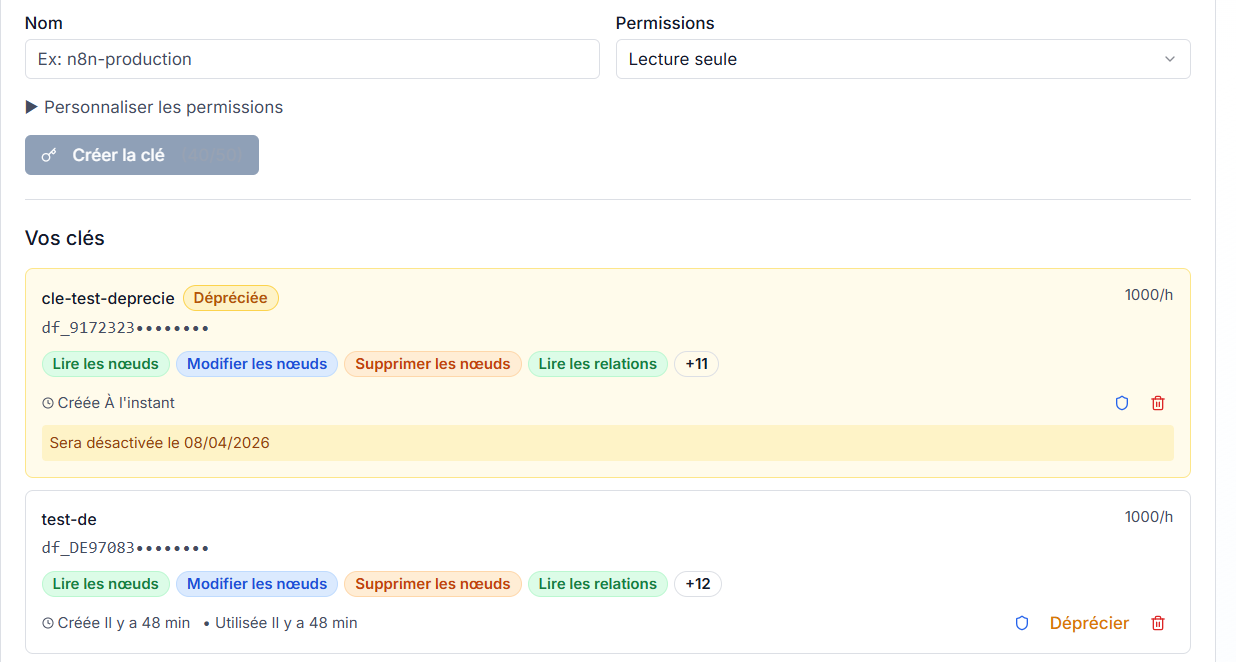
The API Keys page shows the creation form at the top and your existing keys list below.
Understand a key card
Each key card summarizes:
- Key name (for example: zapier-sync, monitoring-api)
- Masked prefix:
df_XXXX********- only the first characters are visible - Rate limit: allowed requests per hour (for example: 1000/h)
- Scopes: colored badges showing active permissions

Create an API key
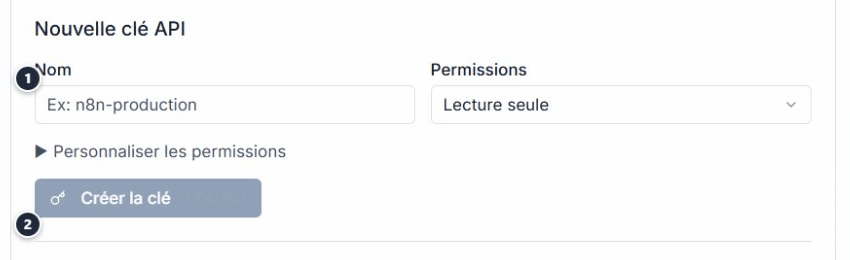
- In the New API Key form, enter an explicit name (service + environment, for example
n8n-production). - Select a permissions preset from the dropdown.
- Click Create key.
Permission presets
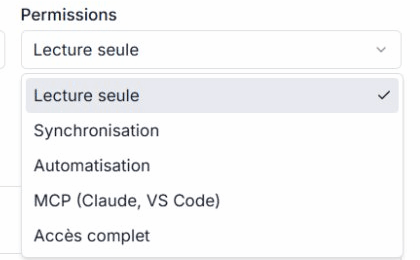
Five presets cover common use cases:
| Preset | Typical usage |
|---|---|
| Read-only | Dashboards, monitoring, read exports |
| Synchronization | Bi-directional sync (read + write) |
| Automation | n8n/Make workflows with full data access |
| MCP | Connection from Claude Desktop, VS Code, or another AI client |
| Full access | Administration (use with caution) |
Customize permissions
For fine-grained control, expand Customize permissions. A checkbox grid lets you enable each scope individually (nodes, relations, actions, events, etc.) in read or write mode.
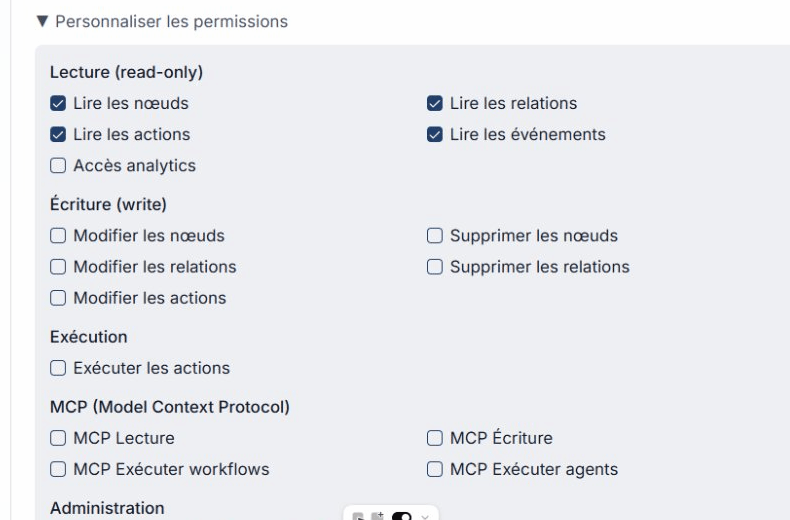
Assign only the scopes strictly required for each key. Avoid the Full access preset outside admin operations.
Warning: key shown only once
After creation, the full key value is shown one time only.
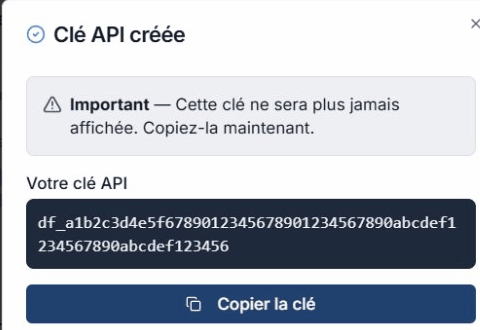
- Copy the key immediately with Copy key.
- Store it in your secrets manager or environment variables.
- Click I copied my key to close the modal.
If you close this modal without copying the key, you cannot retrieve it later. You must create a new key.
Usage examples
The page includes copy-ready examples for common tools.
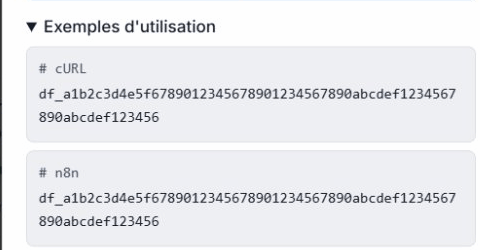
cURL
curl -X GET "https://api.ontologie-growthsystemes.com/api/queries/nodes" \
  -H "X-API-Key: df_YOUR_KEY" \
  -H "x-workspace-id: YOUR_WORKSPACE_ID"
n8n
In an n8n HTTP Request node:
- Method: GET
- URL:
https://api.ontologie-growthsystemes.com/api/queries/nodes - Headers:
X-API-Key: your keyx-workspace-id: your workspace ID
Essential rules
| Rule | Detail |
|---|---|
| Key shown only once | Copy it before closing the modal |
| 1 key per application | Never share one key across multiple services |
| Minimum scopes | Grant only required permissions |
| Deprecate before revoking | Deprecate first, revoke after migration |
| Immediate revocation if compromised | Access is cut instantly |
| Never store in source code | Use environment variables |
Advanced security
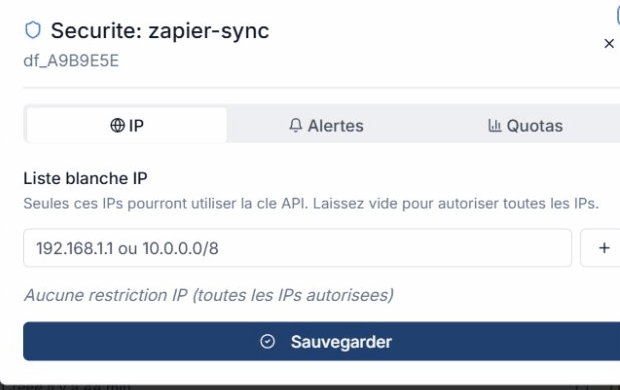
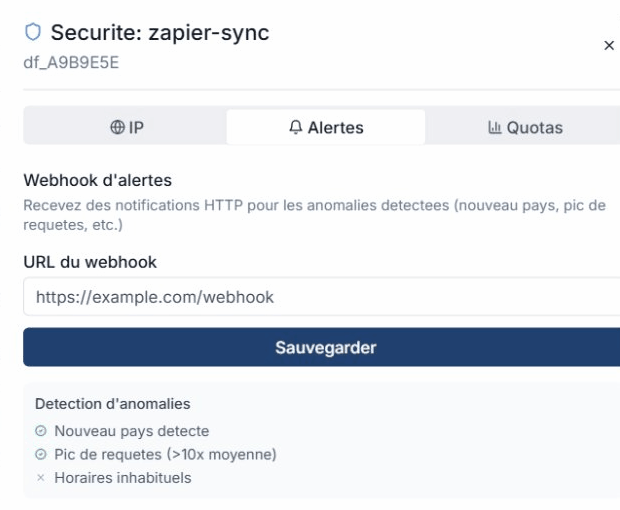
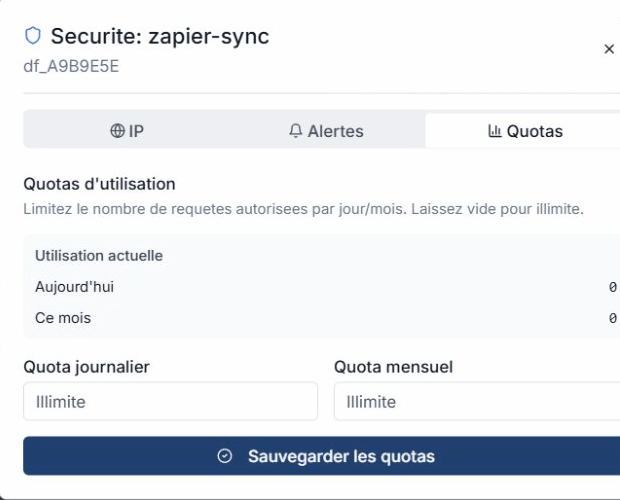
Each key has a security panel available via the shield icon on the key card.
IP allowlist
Restrict a key to specific IP addresses (CIDR supported).
Webhook alerts
Configure a webhook to be notified on suspicious usage. Enable anomaly detection for automated alerts.
Usage quotas
Monitor per-key usage in real time: daily and monthly requests, with optional custom limits.
Revoke a key
To permanently delete a key:
- Click the trash icon on the key card.
- Confirm in the revocation modal.
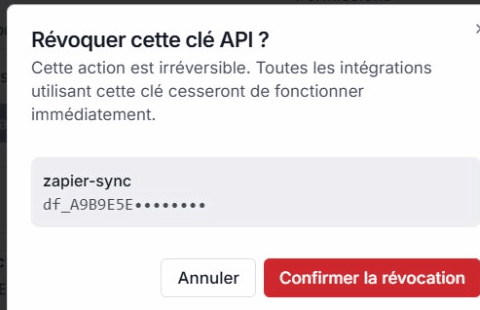
Revocation is immediate and final. All integrations using this key stop working instantly.
Deprecation
Before revoking, you can deprecate a key. The card shows a Deprecated badge (amber style) with an automatic deactivation date (30 days).
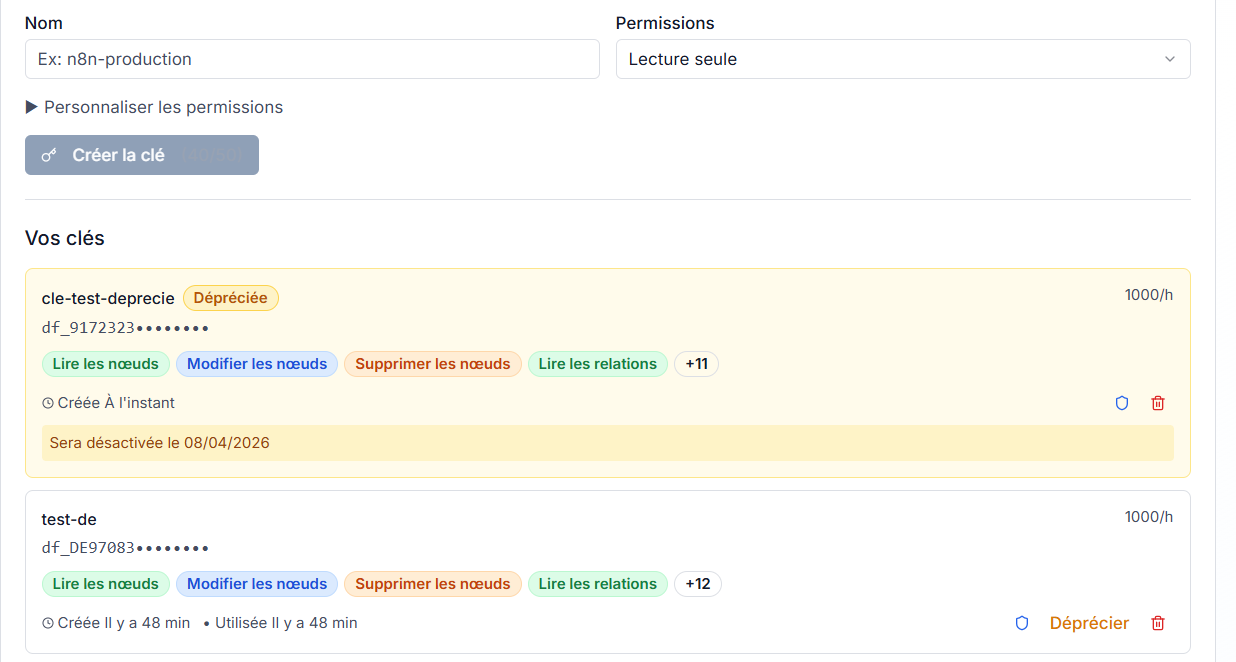
Deprecation gives teams time to migrate to a new key before final cutoff.
MCP keys
API keys are also required to connect Ontologie to AI clients via MCP (Model Context Protocol). Use the MCP preset at creation time to assign mcp.read, mcp.write, and mcp.workflow.execute scopes automatically.
Limits
| Limit | Value |
|---|---|
| Keys per workspace | 50 |
| Default rate limit | 1,000 requests/hour |
| Burst | 10 requests/second |
| Scopes per key | 10 maximum |
| Grace period after deprecation | 30 days |
See also
- Permissions - Scopes and quotas reference
- Support and contact